Never miss a college deadline.
Every deadline, task, and milestone in one visual timeline — with smart reminders and task breakdowns that keep you on track from junior year through submission.
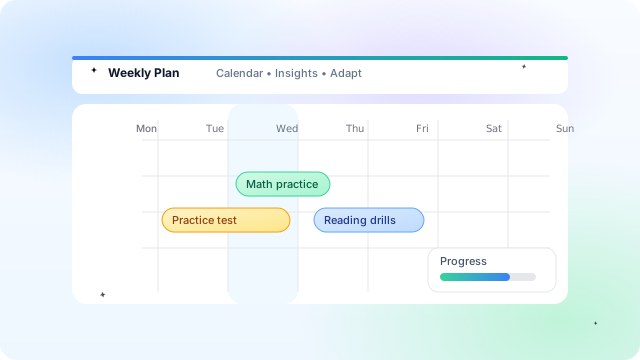
The full application journey, organized
Six things working together so families stop juggling spreadsheets and start moving the needle every week.
See every deadline, task, and milestone on a single calendar view tuned to your college list and grade level.
Big milestones split into bite-sized weekly tasks so progress feels achievable instead of overwhelming.
Nudges before deadlines, not after. Surface what matters this week — not a wall of every future date.
Application timeline branches per school so EA, ED, RD, and rolling deadlines never get confused.
Essays scheduled before deadlines. Recommendations requested early. Tests planned before scores are due.
Track completion across colleges, essays, and tests so you always know where to focus next.
A real plan in three steps
Pull in your list and pick deadline types — EA, ED, REA, RD, or rolling. The timeline updates automatically.
Tasks for essays, recommendations, tests, and aid get scheduled with buffers built in so you don't crunch at the end.
Open the dashboard each week to see exactly what's due — and what's coming next. Sync to Google Calendar.
Built for families who want clarity, not chaos
When every school has different deadlines, essays, and requirements, the timeline keeps them straight.
Families can see where things stand without nagging — shared progress, shared calm.
Weekly task breakdowns and reminders turn 'someday' into something doable today.
Your counselor sees the same timeline you do, so check-ins focus on progress instead of catch-up.
Questions families ask about application timelines
Earlier than you think — ideally junior spring. Even sophomores benefit from seeing the full arc of testing, essays, and applications.
Yes. The timeline branches per college and respects each application type, so EA buffer dates and rolling decisions are sequenced correctly.
Yes. You can share visibility so parents see progress without taking over — fewer nags, more calm.
Yes. One-click sync pushes deadlines and weekly tasks to your calendar so nothing falls through the cracks.
Financial aid milestones are part of the same timeline — FAFSA, CSS Profile, and school-specific aid deadlines all live here.
Students can start the planning process for free. The platform makes it clear when additional paid features or deeper access apply.
“The plan kept me honest. Calendar exports meant I never missed a session.”
“Seeing the weekly plan and progress gave us peace of mind. Super easy to follow.”
“I recommend it to my juniors—clear milestones and flexible schedules just work.”
One timeline. Zero missed deadlines.
Build a deadline-driven plan that covers every college on your list — with weekly tasks, smart reminders, and a calendar that does the work for you.
- Visual master timeline across every college
- Weekly task breakdowns with smart reminders
- Buffer-aware sequencing for essays & tests
- One-click Google Calendar sync